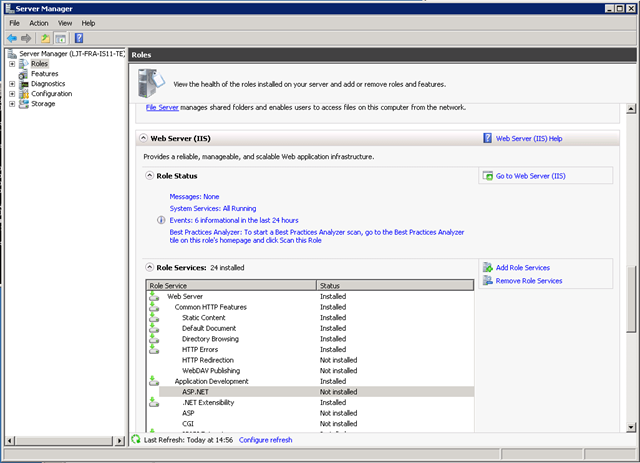
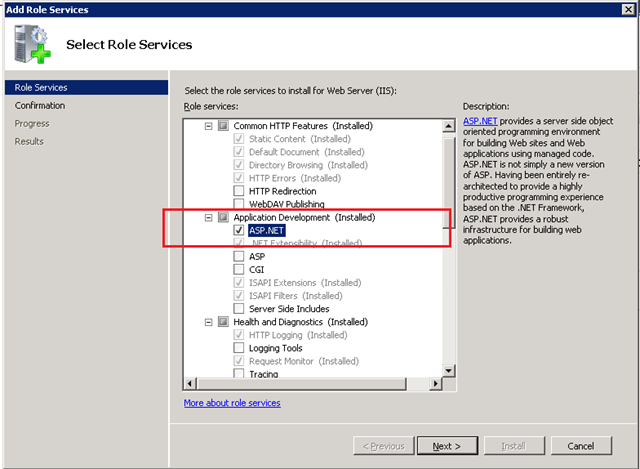
When working with Windows Server 2008 R2 in order to run you ASP.NET application you will need to install ASP.NET feature on the “Web Role”. To do this open “Server Manager” and lookup “Web Server (IIS)” under Roles node.
 Select ASP.NET as shown on the picture above and look in “Role Service” for ASP.NET service as shown at the next picture.

source :
http://developers.de/blogs/damir_dobric/archive/2009/12/04/how-to-enable-asp-net-on-winserver2008-r2.aspx

No comments:
Post a Comment